Set up the Unblocked MCP server
Unblocked is a context engine that gives AI agents answers grounded in your codebase, documentation, tickets, and team conversations — pulling from sources like GitHub, Slack, Confluence, and Linear. This guide covers generating an Unblocked Personal API Token and connecting Unblocked's hosted MCP server to MintMCP.
Prerequisites
- A MintMCP admin account
- An Unblocked account — sign up at getunblocked.com
Generate a Personal API token
Each user who connects to Unblocked through MintMCP needs their own Personal API token.
-
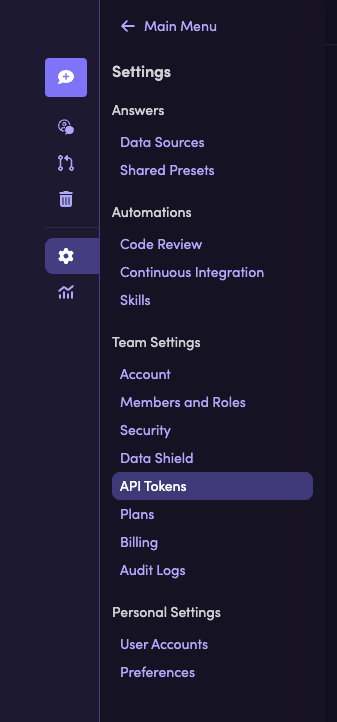
In the Unblocked web app, go to Settings → API Tokens.
-
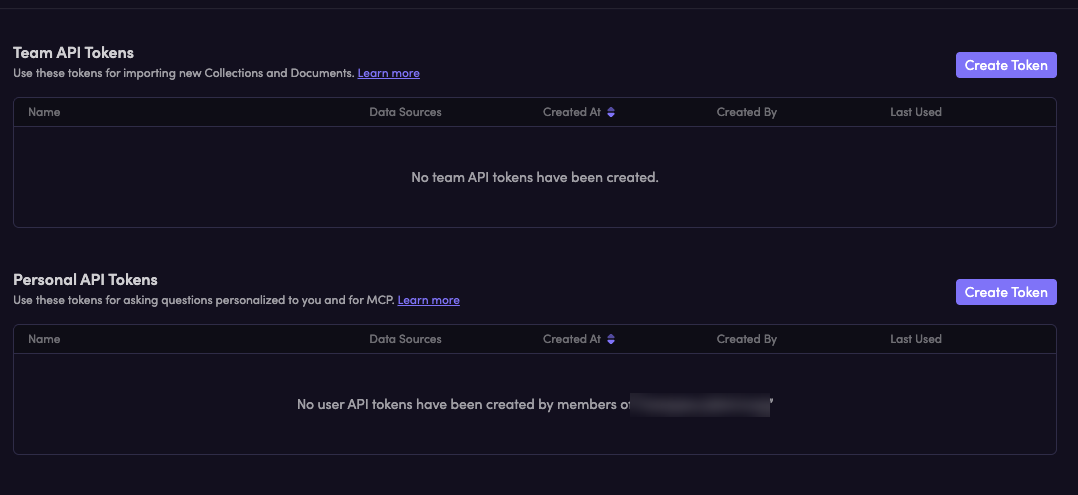
Under Personal API Tokens, click Create Token.
-
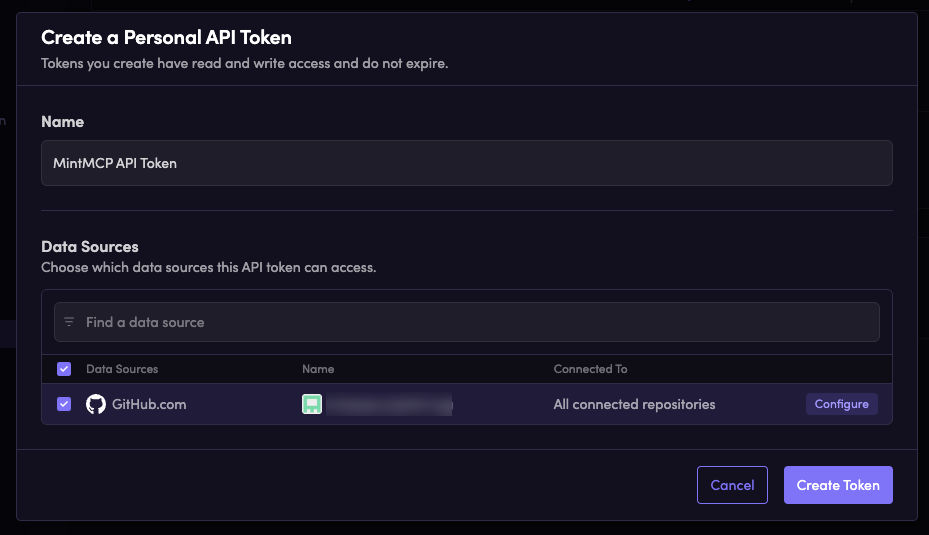
Enter a name for the token — for example,
MintMCP API Token. -
Select the data sources this token can access. Data sources are fixed at creation time, so include everything the integration needs.
-
Click Create Token, then copy the token. It starts with
unb_and won't be shown again.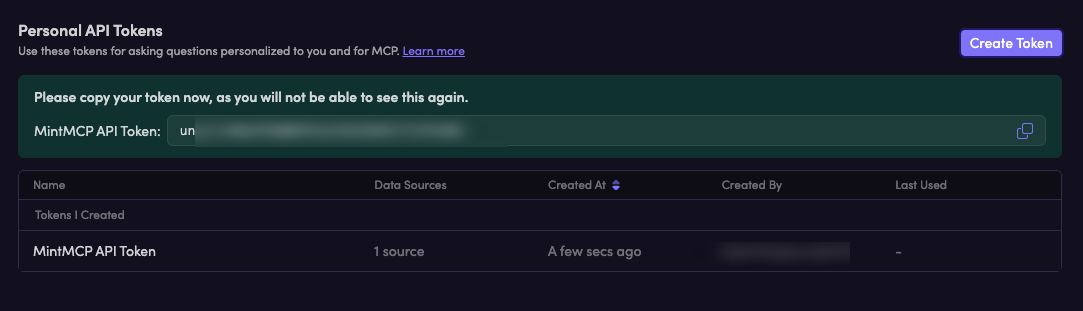
Add Unblocked to MintMCP
- Go to app.mintmcp.com/vmcps?tab=manage-store.
- Find Unblocked in the list and click to install it.
Unblocked uses per-user credentials, so there's nothing for the admin to enter. Each user pastes their own Personal API token on first connect, and MintMCP sends it as the Authorization: Bearer header on every request.
Security considerations
- Personal API tokens are scoped to the data sources you select at creation time — limit each token to only what the integration needs.
- Each user authenticates with their own token, so Unblocked applies per-user data permissions to every request.
- Tokens start with
unb_and are shown only once — store them in a secure location before closing the creation dialog. - Tokens can be revoked at any time from Settings → API Tokens in the Unblocked web app.
Troubleshooting
- 401 Unauthorized — the token is missing, mistyped, or revoked. Generate a new Personal API token in Unblocked and update it in MintMCP.
- A data source returns no results — the token wasn't granted access to that source. Data sources are fixed when the token is created, so recreate the token with the source selected.
Next steps
- Tool customization — Control which Unblocked tools are exposed to users
- MCP gateway administration — Manage access and permissions