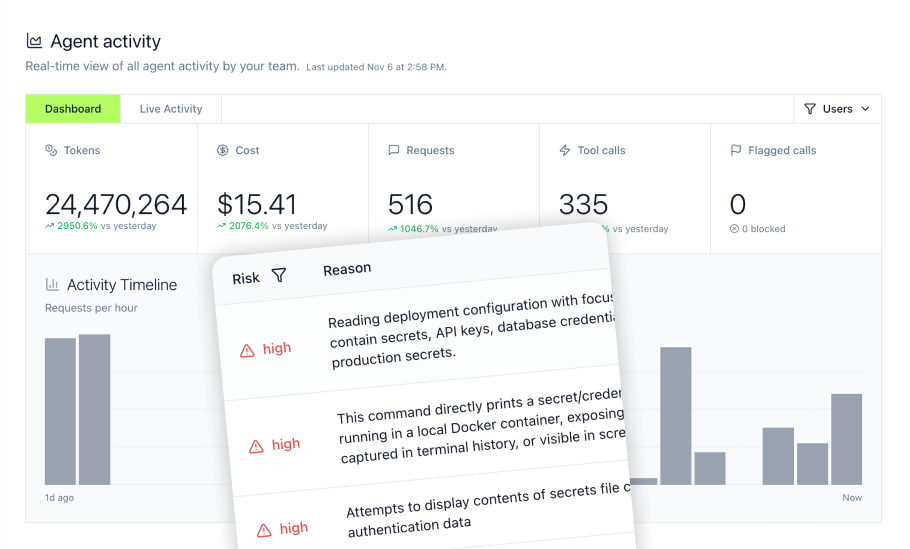
Zapier MCP Server represents a significant shift in how AI agents connect to business applications, offering access to 9,000+ apps and 40,000+ actions through a single standardized gateway. For organizations deploying Claude, Cursor, ChatGPT, and custom agents, this creates the promise of instant integration breadth. Yet the real cost often appears at month two when task consumption multipliers, governance gaps, and hidden limitations emerge. Enterprises seeking governed data and tool connections increasingly turn to MCP Gateway solutions that provide centralized authentication, access control, credential handling, tool curation, and audit logging to address the security and compliance requirements that standard MCP implementations must enhance through additional architecture.
This article examines Zapier MCP Server setup, capabilities, pricing realities, and the enterprise governance requirements that determine whether this approach fits your organization's AI deployment strategy.
Key Takeaways
- Zapier MCP Server provides access to 9,000+ applications through a single MCP endpoint, enabling AI agents to interact with business tools without custom integration development
- Each successful MCP tool call consumes 2 Zapier tasks from the same task allowance used by Zap workflows, so multi-step agent workflows can consume task quotas quickly; failed MCP calls do not consume tasks
- Initial setup takes only a few minutes, while governance capabilities vary by plan: Team includes SAML SSO and Audit Log access, and Enterprise adds controls such as custom data retention, SCIM provisioning, and broader administrative governance
- Zapier MCP supports OAuth for listed clients such as Claude, ChatGPT, Cursor, and VS Code, while other clients and custom code can use a long-lived connection token; connection tokens should be treated as secrets and can be regenerated to immediately invalidate the previous token
- Zapier's current data privacy documentation states that regulated healthcare and medical data, including PHI, is not supported and that Zapier does not sign Business Associate Agreements
- Organizations running regulated workloads or high-volume agent operations benefit from MCP Gateway architectures that provide Virtual MCPs, RBAC, credential injection, and runtime guardrails
- Zapier MCP does not currently document separate 80-call/hour or 500-call/hour MCP limits; usage is governed by the task allowance on the underlying Zapier plan, with each successful tool call consuming two tasks
What is a Zapier MCP Server and How Does it Relate to AI Workflow Automation?
Zapier MCP Server functions as a managed middleware layer that exposes Zapier's integration library as discoverable, AI-callable tools through the Model Context Protocol. When an AI agent needs to send an email, update a CRM record, post to Slack, or interact with any connected business tool, it makes a structured request to the MCP server. The server handles authentication, parameter mapping, and execution, returning results back to the AI in real-time.
The implementation uses a meta-tool architecture that exposes 14 static meta-tools while enabling dynamic tool discovery at runtime. Tools like discover_zapier_actions, execute_zapier_read_action, and execute_zapier_write_action let agents discover, enable, and run actions without loading the full action catalog into the tool surface.
The Role of MCP in Enterprise AI Deployment
The Model Context Protocol standardizes how AI clients communicate with external tools and data sources. Rather than building custom integrations for each AI-app combination, organizations can connect their AI assistants to business systems through a single protocol. This matters because enterprises typically deploy multiple AI clients simultaneously, including Claude, Cursor, ChatGPT, Gemini, and Copilot, each requiring access to the same underlying business tools.
Without a centralized gateway architecture, teams face several recurring problems:
- Configuration sprawl: Every developer configures every MCP server locally, creating N installs, N auth flows, and N points of failure
- Scattered credentials: API keys end up on developer laptops; one leak becomes keys to the kingdom
- No access control: Agents reach any connected system with no oversight
- Missing audit trails: Cannot satisfy SOC 2, HIPAA, or internal risk reporting requirements
- AI unpredictability: Agents decide which tools to call at runtime; tools can appear, change, or disappear via
list_tools
Zapier MCP Server addresses the integration breadth challenge by pre-building connections to thousands of applications. However, its governance model differs from purpose-built agent governance platforms. Zapier MCP can inherit account and workspace controls such as managed connections and app/action restrictions, while platforms such as MintMCP add abstractions including Virtual MCPs, first-class agent identities, broader agent monitoring, and inline runtime policy controls.
Bridging AI Clients and Enterprise Systems
The practical value of Zapier MCP emerges in connecting AI clients to business workflows. An AI agent with Zapier MCP access can:
- Search CRM records before composing follow-up emails
- Create calendar events based on conversation context
- Update project management tools with task status
- Pull data from multiple sources for analysis
- Trigger automated workflows across connected applications
Setup involves generating an MCP server endpoint at mcp.zapier.com, configuring available tools through the dashboard, and adding the server URL to your AI client configuration. For Claude Desktop, Cursor, and similar IDEs, the MCP Servers panel accepts the connection through an OAuth flow.
The initial experience feels seamless. Within minutes, AI clients gain access to Gmail, Slack, Google Sheets, Salesforce, HubSpot, and dozens of other applications through a single connection point.
Setting Up Your Zapier MCP Server: A Data-Permissions-First Approach to AI
Enterprise AI governance should begin with permissions and governed access to company systems, not with an autonomous agent that receives broad access and gets restricted afterward. This data-permissions-first architecture creates a foundation for both human-operated AI clients and autonomous agents.
Configuring Virtual MCPs for Specific Use Cases
Zapier MCP creates a separate server for each named MCP client and supports both dynamic tool discovery and fixed, manually configured toolsets. Organizations can therefore scope individual servers to particular actions, although this model differs from Virtual MCPs that use centrally governed role- or use-case-specific endpoints.
A more robust approach uses Virtual MCPs that bundle approved connectors and curated tool surfaces behind governed endpoints. With Virtual MCPs, organizations can:
- Create separate endpoints for read-only versus read-write access to the same underlying systems
- Expose different tool sets to sales, engineering, and support teams based on role requirements
- Scope agent access to specific tools rather than granting blanket permissions
- Maintain independent audit trails for different use cases
For organizations testing Zapier MCP with small teams, starting with 5-10 high-value tools minimizes context window bloat and reduces the probability of AI tool selection errors.
Integrating with Existing Directory Services for Access Management
Enterprise identity management requires integration with existing directory services. Zapier's Team plan includes SAML SSO, while advanced admin controls and custom data retention require Enterprise tier features.
MintMCP's MCP Gateway addresses this through integration with Okta, Entra ID, and Google directory services. Access to Virtual MCPs flows from directory groups via SCIM, so suspending a user in the IdP propagates across all MCP access. This eliminates the manual administration burden that accumulates when individual tool permissions must be managed per-user.
For Zapier MCP implementations, organizations should consider:
- Access scope: Each Zapier user can create multiple MCP servers, with separate tool configurations per server
- Revocation path: Regenerating the connection token instantly revokes access for that specific server
- Audit and access controls: Zapier logs MCP tool calls in History, and Team and Enterprise plans support Owner, Editor, and View only roles for MCP server administration; Enterprise adds broader organization-wide app, action, and workspace governance controls
Unleashing the Power of AI Automation Tools with Governed Access
The promise of AI automation tools lies in removing friction from cross-application workflows. An AI agent that can simultaneously access email, calendars, CRM, and project management tools can complete in seconds what previously required minutes of manual context-switching.
Integrating Popular AI Clients Securely
Zapier MCP Server works with major AI clients through straightforward configuration. Claude is a supported Zapier MCP client and uses Zapier's OAuth connection flow. The client registers Zapier as an MCP server, sends the user through Zapier sign-in, and stores and refreshes the resulting OAuth token without requiring a manually managed bearer token.
ChatGPT accepts MCP connections through Settings > MCP Connections > Add Connection. Cursor and Windsurf provide MCP Servers panels in their features settings where server configurations can be added directly.
The security consideration centers on credential handling:
- For supported MCP clients, Zapier uses OAuth and the client manages token refresh
- Other clients and custom integrations can use a long-lived connection token, either in an Authorization header or URL query parameter
- Anyone who obtains that token can use the server's tools
- Regenerating the token immediately invalidates the previous one
Organizations should treat connection tokens as sensitive credentials:
- Store them in password managers, not plaintext configuration files
- Rotate tokens periodically, especially when team members leave
- Limit distribution to necessary personnel
- Monitor Zapier History for unexpected access patterns
Enabling Consistent Tool Access Across Diverse AI Environments
Enterprise deployments typically involve multiple AI clients serving different use cases. Developers might use Cursor for coding assistance while sales teams use ChatGPT for customer communication drafting. The governance challenge becomes ensuring consistent tool access policies across this heterogeneous environment.
Zapier MCP creates one MCP server per named client on a user's Zapier account, and each server can have its own fixed or dynamically discovered toolset. Team and Enterprise plans also add server oversight and account-level controls, while MintMCP's Virtual MCP model provides a different mechanism for centrally assigning role- or use-case-specific tool surfaces through directory-driven access policies.
The MCP Gateway approach addresses this through Virtual MCPs that serve as the unit of access control. Different VMCPs can expose different tool surfaces while sharing underlying connector configurations. This enables scenarios like:
- Engineering VMCP: GitHub, Jira, Datadog, Slack engineering channels
- Sales VMCP: Salesforce, HubSpot, Gong, Gmail
- Support VMCP: Zendesk, Slack support channels, read-only CRM access
Directory groups drive VMCP membership through SCIM, so role changes in the identity provider automatically adjust MCP access without manual reconfiguration.
Beyond Human Accounts: Agent Identity and Governance for Your AI Workforce
As organizations scale from 10 to 100+ autonomous agents, "who did what" becomes the central governance question. Agents running on shared human credentials or generic service accounts collapse the audit log, over-privilege the agent, and break credential rotation workflows.
Establishing First-Class Identities for Autonomous Agents
Zapier MCP does not provide first-class non-human agent identities distinct from human users. Supported clients can authenticate through OAuth, while other clients and custom integrations can use connection tokens. This creates several governance challenges:
- Attribution confusion: Agent actions appear under whichever human account was used for configuration
- Over-privileged access: Agents inherit full human permissions rather than scoped capabilities
- Rotation complexity: Rotating credentials requires updating every agent using that account
- Audit limitations: Cannot answer "what did Agent X do?" without manual log correlation
Agent Gateway architectures treat autonomous agents as first-class non-human principals. Each agent receives:
- Its own identity within the authorization model
- Scoped MCP access through a purpose-built VMCP
- Independent credentials that can be rotated or revoked without affecting other agents
- Attributable audit trails that answer "who did what" at the agent level
This matters particularly for always-on agents, CI/CD pipeline integrations, scheduled automation, and background processing workflows where human credentials create single points of failure.
Ensuring Secure Authentication for Agent Operations
Authentication mechanisms for autonomous agents range from simple to sophisticated:
- Bearer keys: Static authentication on every request; simple to implement but require manual rotation
- M2M tokens: OAuth client-credentials exchange for short-lived tokens; secret stays out of request path
- Workload identity federation: Agent infrastructure (Kubernetes service account, cloud role, CI job identity) mints short-lived OIDC tokens; eliminates stored credential risk
Zapier MCP supports OAuth for human-operated clients and bearer authentication through connection tokens for other scenarios. For organizations with mature identity infrastructure, MintMCP's Agent Gateway supports all three authentication mechanisms, enabling organizations to match security posture to risk requirements.
Observability and Guardrails: Governing Zapier MCP Server Activity for Enterprise Security
Visibility alone is not enough. Enterprises need runtime controls that determine whether an action should be allowed before it executes, not just logging after the fact.
Monitoring AI Agent Actions and Costs
Zapier History provides logging for MCP tool calls with user attribution, but coverage has important limitations:
- Retention: Zapier's retention periods vary by product; Enterprise accounts provide customizable retention controls, so exact MCP and Zap History retention periods should be verified against current product documentation
- Granularity: Tool call success/failure with parameters, but no prompt content or AI reasoning visibility
- Export: Enterprise deployments can stream activity to external observability and SIEM systems, including Splunk and Datadog, in addition to using Zapier's own audit and history interfaces
- Real-time alerting: Limited to Zapier's built-in notification options
Cost tracking presents a particular challenge. Each successful MCP tool call consumes 2 Zapier tasks; failed tool calls do not consume tasks. An AI workflow making eight successful MCP tool calls per run and running 100 times per day would consume about 48,000 tasks over a 30-day month, before accounting for changes in workflow volume. Organizations should compare expected successful tool-call volume directly with their plan's task allowance.
Organizations should model task consumption before scaling:
- Calculate expected MCP calls per day
- Multiply by 2 (the task multiplier)
- Multiply by 30 (days per month)
- Compare against plan quotas
- Add 50% buffer for retry loops and edge cases
Agent Monitor provides visibility beyond gateway traffic, capturing prompts, commands, file access, MCP tool calls, usage, and token costs across supported AI clients. This addresses the shadow AI visibility problem where employees install Claude Code, Cursor, or other agents without IT awareness.
Implementing Proactive Security Policies and Controls
The security gap in Zapier MCP centers on data flow. Runtime security controls should address:
- Prompt injection: Malicious content in tool responses can hijack agent behavior
- Secrets exposure: API keys, credentials, and tokens in tool responses should be masked before reaching AI models
- PII/PHI handling: Personal and health information requires redaction or transformation based on data classification policies
- Harmful content: Responses containing inappropriate material need filtering before AI processing
MintMCP's Guardrails provide three coexisting control layers:
- Mint Guard: Managed detection policies for prompt injection, credentials, PII, and harmful content with monitoring and enforcing modes
- Rules: Declarative matching on tool names, arguments, or content via regex with flag, block, ask, mask, or notify actions
- Gateway Middleware: Customer-authored JavaScript running in a sandbox for DLP integrations, external classifiers, redaction logic, and custom policy enforcement
These inline controls operate at the gateway layer, evaluating supported tool-call arguments and connector results before forwarding them along the tool-call path.
Building and Integrating Custom Workflow Automation Tools with Your MCP Server
Organizations with proprietary systems or specialized requirements often need custom MCP integrations beyond pre-built connectors.
Extending MCP Capabilities with Bespoke Connectors
Zapier provides several paths for custom integrations:
- Zapier Skills: Reusable, Markdown-based workflow instructions that an agent can load on demand, capturing multi-step procedures and reusable operating guidance
- Code by Zapier: Custom Python or JavaScript within Zaps, operating within Zapier's automation framework
- Private integrations: Custom connectors for internal systems through Zapier's developer platform
For organizations seeking more control over connector deployment, MintMCP supports custom servers through multiple mechanisms:
- Hosted connectors: MintMCP operates supported connector instances
- Remote connectors: Organizations host their own connectors while routing traffic through the governed gateway
- STDIO connectors: Local process-based connectors for development
- Docker deployment: Containerized connectors with standardized deployment patterns
Developer Best Practices for Secure Connector Deployment
Custom connector development introduces security considerations:
- Credential isolation: Connectors should not hold long-lived secrets; credential injection per call with encrypted storage
- Input validation: All parameters from AI agents should be validated before processing
- Error handling: Failed operations should return meaningful errors without exposing internal details
- Rate limiting: Protect downstream systems from AI-driven traffic bursts
- Audit logging: Log all operations with timestamps, parameters, and outcomes
The OAuth handling for STDIO presents particular challenges since direct redirect-URI handling is difficult in process-based environments. MintMCP's OAuth brokering addresses this through the gateway layer.
Zapier MCP Server for Enterprise: SSO, RBAC, and Auditability for AI Operations
Enterprise deployments require identity management, access control, and audit capabilities that support organizational governance policies aligned with AI risk management frameworks.
Implementing Robust Identity and Access Management for AI
Zapier currently lists pricing tiers with varying capabilities. Because pricing and included task allowances can change, organizations should verify current plan economics before deployment. Team tier includes SSO and audit capabilities, while Enterprise adds broader administrative controls.
For organizations requiring robust identity management, MintMCP's enterprise SSO integrates with Okta, Entra ID, and Google. Directory groups drive both admin roles and tool access through SCIM, enabling:
- User suspension in IdP propagates to all MCP access
- Role changes automatically adjust VMCP membership
- New employee onboarding flows through existing provisioning workflows
- Offboarding removes access without manual reconfiguration
The RBAC model operates at two layers: organization-level roles for administrative reach, and VMCP access policies for tool reach. This separation prevents the common pattern where admin access implies tool access or vice versa.
Ensuring Compliance and Traceability in AI Operations
Compliance requirements for AI systems increasingly mirror those for traditional application access. SOC 2 and HIPAA audits require demonstrable controls over who accessed what data through which tools, with retention periods that support investigation and reporting.
Zapier's current data privacy documentation states that regulated healthcare and medical data, including PHI, is not supported and that Zapier does not sign Business Associate Agreements. Organizations should therefore not position Zapier MCP as suitable for HIPAA-regulated PHI workloads.
MintMCP's audit capabilities include:
- Every tool call logged with timestamps, parameters, and outcomes
- Credential lifecycle events captured (creation, rotation, revocation)
- Access policy changes tracked with before/after states
- Tamper-evident access-grant history signed at write time (verifiable offline via published JWKS)
- SIEM export through OTLP or Splunk HEC
For regulated industries, the combination of inline guardrails (preventing sensitive data from reaching AI models) and comprehensive audit (proving that controls operated as intended) addresses the dual compliance burden of prevention and demonstration.
Coworker Agents: Persistent, Governed AI for Advanced Business Process Automation
Beyond point-in-time AI assistance, organizations increasingly deploy persistent agents that work alongside employees, responding to requests, running scheduled tasks, and maintaining context across sessions.
Enabling Autonomous Workflows with Company-Owned AI Memory
The challenge with most agent implementations is memory opacity. Agents accumulate context, learn patterns, and develop operational history that lives inside vendor systems. Organizations cannot inspect, audit, govern, or move this memory.
Coworker Agents address this through a repo-as-source-of-truth model where configuration, instructions, memory, and audit logs exist as reviewable files:
CLAUDE.mdcontains agent instructionsprogress.mdcaptures working memoryinbound/receives task inputs- Full run history persists in the repository
This Git-backed memory model provides:
- Ownership: The organization controls the repository, not the AI vendor
- Auditability: Every memory change has a commit history
- Reviewability: Team members can inspect agent state and instructions
- Portability: Memory can be exported, migrated, or forked
- Version control: Previous states can be restored if needed
Zapier MCP does not provide agent memory capabilities. Each interaction is stateless from Zapier's perspective, with memory living entirely within the AI client.
Scaling Business Processes with Governed Agent Orchestration
Persistent agents require governance that matches their expanded capability. An agent that runs continuously, accesses multiple systems, and maintains long-term memory needs stronger controls than a point-in-time assistant.
Coworker Agent governance includes:
- Tool allowlist: A real allowlist (not advisory) scoped through VMCP access
- Sandbox execution: Restricted egress prevents data exfiltration
- Secret brokering: The running agent sees only placeholders, not actual credentials
- Session visibility: Agent Monitor captures supported agent activity for review, with coverage varying by client, agent, and hook phase
- Swappable models: Governance and company-owned agent infrastructure can remain consistent as organizations change among supported models and agent harnesses
Triggers support multiple interaction patterns:
- Slack mention: Agents respond to channel conversations
- Scheduled execution: Cron-based recurring tasks
- Manual invocation: On-demand runs through the Run button
Why MintMCP for Enterprise Zapier MCP Deployments
Organizations deploying Zapier MCP at scale must decide whether to route agent traffic directly to individual Zapier MCP servers or centralize access through a governance layer. Zapier provides broad integration coverage and account-level controls, while enterprises running regulated workloads, autonomous agents, or multi-team deployments may need additional governance infrastructure.
MintMCP adds five controls for production deployments:
- Role-based tool access: Virtual MCPs provide curated tool surfaces that can be assigned through directory groups instead of configuring servers separately for each user and client.
- Agent identity: Agent identities give autonomous agents independent credentials, scoped permissions, and attributable audit trails separate from human accounts.
- Runtime guardrails: Inline guardrails enforce policies for prompt injection, credential exposure, PII, and harmful content across supported tool-call arguments and connector results.
- Agent visibility: Agent Monitor captures supported prompts, tool calls, and resource access to improve visibility into agent activity and shadow AI.
- Audit and SIEM integration: SIEM export and tamper-evident audit records support security investigations and SOC 2 auditability.
This architecture lets organizations use Zapier MCP for integration breadth while adding centralized authentication, credential handling, audit consolidation, and policy enforcement through MintMCP. Teams can preserve existing Zapier workflows while applying consistent governance as deployments expand from pilots to production.
Frequently Asked Questions
How does Zapier MCP compare to building native integrations for each AI client?
Native integrations can reduce intermediary processing and avoid Zapier's task-based usage model, but they require development and maintenance for each integration. Zapier MCP makes sense for prototyping, testing market viability, or scenarios involving many different applications with moderate volume. Native integrations become more cost-effective at scale or when direct API access matters for specific requirements.
Can I use Zapier MCP for customer-facing AI products?
Zapier MCP can be used with AI applications as well as employee-facing MCP clients. For products that embed Zapier capabilities directly into application code, Zapier positions its SDK as the code-oriented option. Customer-facing teams should evaluate MCP versus SDK based on authentication, tenant isolation, governance requirements, and expected task volume rather than relying on outdated call-per-hour limits.
What happens if my Zapier connection token is compromised?
For supported MCP clients using OAuth, the client manages token refresh and you can revoke access through Zapier's dashboard. For connection tokens used with other clients, immediately regenerate the token from the Zapier MCP dashboard, which invalidates the previous token. Update all AI client configurations with the new token. Review Zapier History for unauthorized access patterns during the exposure window. Consider implementing regular token rotation as a preventive measure.
How do I handle Zapier MCP failures in production workflows?
Zapier MCP failures typically manifest as authentication errors (expired app connections), exceeded task limits, or action failures (invalid parameters or downstream API issues). Build retry logic into prompts for transient failures. Monitor Zapier History for failure patterns. Establish manual fallback procedures for critical workflows. Consider the hybrid approach of using native MCP for core high-frequency tools while routing long-tail integrations through Zapier MCP.
Does Zapier MCP work with self-hosted or on-premise AI deployments?
Zapier MCP requires network connectivity to Zapier's cloud infrastructure. Every tool call routes through Zapier's servers for authentication and execution. Self-hosted AI deployments must have outbound HTTPS access to Zapier endpoints. Air-gapped environments cannot use Zapier MCP. For on-premise requirements, organizations should evaluate MCP Gateway solutions that support private network connectivity.