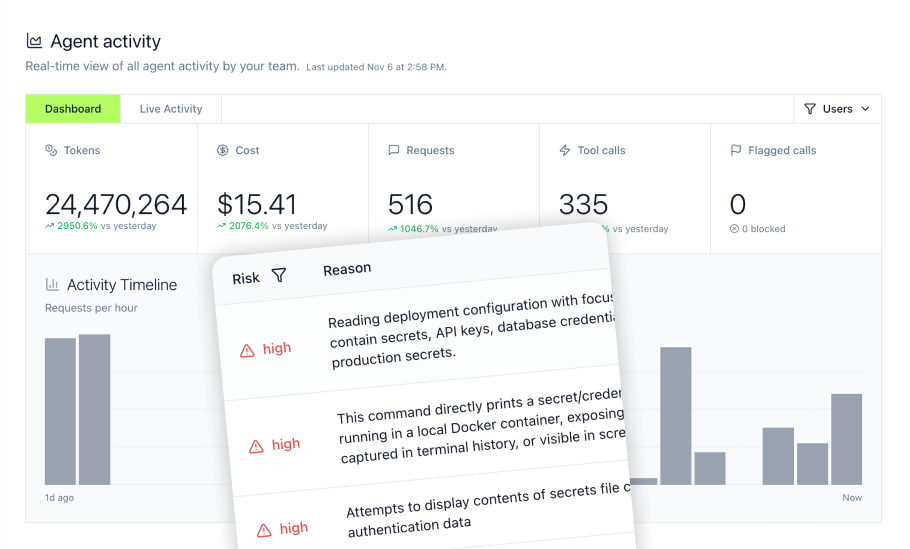
GitLab now offers native MCP server functionality, allowing AI agents to connect directly to repositories, merge requests, and CI/CD pipelines. But protocol connectivity alone doesn't equal production readiness. Organizations integrating AI tools with GitLab need governance layers that the native MCP server doesn't provide: audit trails, role-based access control, and centralized credential management across multiple MCP connections.
An MCP Gateway sits between AI assistants like Claude, Cursor, ChatGPT, Gemini, Copilot, and GitLab, adding enterprise security without disrupting developer workflows. The right gateway transforms experimental AI-to-GitLab connections into governed infrastructure that engineering leaders can deploy at scale.
This guide covers the MCP gateways available for GitLab integration in 2026, with practical details on setup complexity, compliance posture, and deployment models to help select the right fit for an organization.
Key Takeaways
- GitLab's native MCP server is currently labeled beta and offers a growing set of GitLab tools. Enterprise deployments often still need third-party gateways for governance
- MCP gateways reduce the N×M integration problem: connecting 5 AI tools to 10 GitLab projects drops from 50 separate configurations to 15 via centralized routing
- Proper MCP governance can improve task accuracy by 28-32% according to AWS Prescriptive Guidance
- Engineering teams lose meaningful time to context switching. MCP gateways with GitLab integration help recover productivity through centralized access and routing
- SOC 2 Type II audited gateway providers are available, making compliance review easier without sacrificing deployment speed
1. MintMCP Gateway: From Local MCP to Enterprise Deployment, Fast
MintMCP Gateway provides centralized governance for AI agent-to-GitLab connections with one-click deployment, OAuth brokering for stdio and hosted MCP servers, and managed connector operations. The platform transforms MCP connections into governed services with monitoring, logging, and policy enforcement without requiring teams to operate the connector runtime themselves.
What Makes MintMCP Different
MintMCP addresses the core challenge of GitLab AI integration: getting MCP working in production without months of security questionnaires or DevOps bottlenecks. The gateway starts with data permissions first: SSO, SCIM-driven RBAC, IdP groups, Virtual MCP Bundles, tool-level policy, and audit logs, then enables agents on top. Developers request and receive AI tool access quickly while security teams maintain visibility.
Core Capabilities for GitLab Integration
- SSO and SCIM-driven RBAC for MCP endpoints connecting to GitLab
- Complete audit logs for every AI agent interaction with repositories
- Virtual MCP Bundles that expose only the minimum required tools per team, such as read-only GitLab access for QA or expanded access for senior developers
- Centralized observability for server health, usage patterns, and security review
- Granular tool-level allowlisting and rule-based policy, such as enabling specific GitLab tools like
get_merge_requestwhile excludingcreate_issuebased on role - Agent Bundles with M2M auth and an “act as agent” flow for scoped agent identities
- JavaScript Gateway Middleware for inline policy, transformation, masking, blocking, and external DLP or guardrails integrations
Compliance and Security
- SOC 2 Type II audited with complete audit trails for regulatory requirements
- Compliant with HIPAA standards, penetration tested, and supported by a Trust Center for security review
- Enterprise SSO, role-based access control, and complete audit trails built into the platform
- Centralized credential management so AI agents never see raw GitLab API tokens
Setup Time: Minutes for managed setup, depending on identity provider and GitLab configuration
Deployment Model: Managed SaaS-first, with US and EU deployment options and VPC/self-hosted available on request
GitLab Compatibility: Works with GitLab MCP connections through managed gateway routing and policy controls
MintMCP serves teams that need enterprise MCP infrastructure without building it themselves. For organizations selling AI-powered products to regulated industries, MintMCP's SOC 2 Type II audited status can streamline security validation with enterprise customers.
2. Docker MCP Gateway
Docker MCP Gateway provides container-based MCP routing for teams with existing Docker infrastructure. The open-source approach gives engineering teams control over deployment while leveraging familiar containerization patterns for isolation and scaling.
Technical Approach
Organizations with strong DevOps capabilities and existing container orchestration can deploy Docker MCP Gateway without additional licensing costs. The solution works well for teams that prioritize infrastructure control and have the engineering bandwidth to manage self-hosted deployments.
Technical Capabilities:
- Container isolation for MCP server workloads
- Integration with existing Docker Compose or Kubernetes deployments
- Basic logging through standard container log aggregation
- Network-level security through Docker networking policies
- Support for multiple MCP servers behind a single gateway endpoint
Setup Requirements:
- Docker and Docker Compose installation
- Familiarity with container networking and orchestration
- Manual configuration of OAuth flows for GitLab connections
- Self-managed TLS certificate provisioning
Setup Time: 30+ minutes for initial deployment; additional time for production hardening
Deployment Model: Self-hosted on your infrastructure
Considerations
Teams should allocate DevOps resources for ongoing maintenance, security patching, monitoring setup, and connector runtime operations. A self-hosted gateway can provide infrastructure control, but teams should evaluate whether they also need managed hosted connectors, SCIM-driven RBAC, Virtual MCP Bundles, and centralized audit workflows that MintMCP provides as a managed SaaS-first platform.
3. TrueFoundry MCP Gateway
TrueFoundry offers MCP gateway capabilities as part of a broader AI platform that includes LLM routing and model serving. The gateway can fit organizations that want MCP governance as part of a wider AI infrastructure stack.
Platform Capabilities
Engineering teams building comprehensive AI infrastructure may find value in TrueFoundry's unified platform approach. The VPC deployment model can support organizations that need more control over where AI traffic flows.
Core Features:
- MCP gateway alongside LLM routing and model deployment
- VPC deployment for infrastructure control requirements
- Performance-oriented architecture for high-throughput scenarios
- Integration with existing cloud infrastructure, including AWS, GCP, and Azure
Performance Characteristics:
- Published benchmarks should be reviewed in context, since gateway overhead, tool-call latency, end-to-end latency, and throughput are different metrics
- Designed for scenarios requiring consistent low-latency responses
Setup Time: 1-3 days for VPC deployment with proper configuration
Deployment Model: Hybrid managed SaaS and self-hosted control plane
Considerations
The unified platform approach works well for teams standardizing on a broader AI infrastructure provider. Organizations focused primarily on internal employee and internal-agent MCP governance should compare whether they need MintMCP-specific primitives such as Virtual MCP Bundles with SCIM-driven membership, Agent Bundles with M2M auth, OAuth brokering for stdio and hosted MCP servers, and managed hosted connectors.
4. Composio
Composio provides a managed MCP gateway with a library of pre-built integrations across SaaS tools. The platform emphasizes rapid multi-tool AI agent deployment with unified authentication handling.
Integration Approach
Teams connecting AI agents to GitLab alongside many other SaaS applications can leverage Composio's pre-built integrations. The unified auth layer reduces the complexity of managing separate OAuth flows for each connected service.
Platform Features:
- Pre-built connectors for GitLab and other platforms
- Unified authentication management across connected tools
- Managed service with guided setup workflows
- SOC 2 Type II audited
Use Case Fit:
- Startups building AI products that connect to multiple external services
- Teams prioritizing integration breadth over deep customization
- Organizations wanting quick time-to-value for multi-tool AI agents
Setup Time: 20 minutes for managed deployment
Deployment Model: Managed SaaS-first, with VPC/on-prem available on Enterprise tier only
Considerations
The broad integration focus serves teams needing many connections quickly. Organizations with GitLab-specific governance requirements or complex internal access-control needs should evaluate whether they also need SCIM-driven RBAC, per-use-case Virtual MCP Bundles, Agent Bundles, tool-update policy, and centralized observability across Claude, Cursor, ChatGPT, Gemini, and Copilot.
5. Merge Agent Handler
Merge Agent Handler extends GitLab MCP capabilities with an expanded tool library and Data Loss Prevention features. The platform provides GitLab-focused coverage compared to the native MCP server's tool set.
GitLab Tool Coverage
Teams requiring broader GitLab coverage, such as branches, commits, merge requests, pipelines, issues, and beyond, can use Merge Agent Handler's expanded tool set. The DLP capabilities address security concerns around sensitive data exposure through AI agent interactions.
GitLab Capabilities:
- Extended tool set covering GitLab workflows
- Branch management, commit history, pipeline controls
- Issue and merge request lifecycle management
- Project settings and repository operations
Security Features:
- Data Loss Prevention rules, such as blocking API keys in commit messages or redacting PII
- Granular security policies for tool inputs and outputs
- Evaluation suite for testing tools before production deployment
- Audit trails for compliance requirements
Setup Time: 30 minutes for managed deployment
Deployment Model: Managed cloud service
Considerations
The GitLab-specific focus provides deep coverage for teams whose AI agent workflows center on GitLab. Organizations needing governance across multiple MCP server types should evaluate whether they also need a broader gateway layer with SSO, SCIM-driven RBAC, Virtual MCP Bundles, credential management, and centralized audit logs across all MCP tools.
6. Native GitLab MCP Server
GitLab 18.3+ includes a built-in MCP server that exposes project data to AI agents through the Model Context Protocol. This native capability requires no additional gateway infrastructure but operates without centralized governance features.
Available for Individual Development
Individual developers experimenting with AI-assisted GitLab workflows can connect tools like Cursor, Claude Desktop, or VS Code directly to GitLab's MCP server. The setup requires OAuth configuration but no third-party gateway deployment.
Available Tools:
get_issueandcreate_issuefor issue managementget_merge_requestwith commits and changes retrievalget_pipeline_jobsfor CI/CD visibility- Version information and basic project queries
Setup Requirements:
- GitLab Premium or Ultimate with GitLab Duo and beta and experimental features turned on
- IDE configuration, such as Cursor, Claude Desktop, VS Code, or a compatible tool
- OAuth authorization flow completion
Setup Time: 15-20 minutes for basic connection
Current Status: GitLab labels the MCP server as beta with evolving tool availability
Considerations
The native server provides protocol compliance without broader gateway governance. Organizations scaling beyond individual developer use should evaluate whether the absence of centralized audit aggregation, SCIM-driven RBAC, credential management, DLP integrations, tool-update policy, and per-use-case tool bundles meets their security and compliance requirements.
Choosing Your GitLab MCP Gateway
MintMCP Gateway delivers enterprise-grade governance for GitLab AI integration without infrastructure overhead. Teams get one-click deployment, OAuth brokering for stdio and hosted MCP servers, and complete audit trails, transforming experimental AI-to-GitLab connections into production-ready infrastructure in minutes rather than months.
For engineering leaders evaluating MCP gateway options, MintMCP addresses the gap between GitLab's native protocol support and enterprise requirements. The platform's Virtual MCP Bundle architecture enables granular tool access control, ensuring each team sees only the GitLab capabilities they need while security maintains full observability across AI agent interactions.
Organizations in regulated industries benefit from MintMCP's SOC 2 Type II audited status, compliance with HIPAA standards, penetration testing, and complete audit trails, streamlining security questionnaires when deploying AI tools across the enterprise. The Gateway + Agent Monitor two-layer governance model adds additional visibility into how AI agents interact with GitLab data by covering MCP traffic through the gateway and local non-MCP agent activity through Agent Monitor.
MintMCP transforms shadow AI into sanctioned AI for GitLab workflows. The managed service reduces the DevOps burden of self-hosted gateways while providing governed access, centralized credential management, and policy enforcement. Security teams gain audit trails and policy controls without slowing developer productivity. Engineering leaders can deploy governed AI agent access to GitLab with centralized credential management ensuring no raw API tokens ever reach AI tools.
Deploy governed GitLab AI integration today. Book a demo to see how MintMCP enables secure AI agent workflows.
Frequently Asked Questions
What are the primary benefits of integrating an MCP Gateway with GitLab?
MCP gateways add governance layers that GitLab's native MCP server lacks: centralized authentication across all AI tool connections, complete audit trails for compliance requirements, and role-based access control that restricts which tools each team can use. Without a gateway, organizations face the N×M integration problem: connecting 5 AI tools to 10 GitLab projects requires 50 separate configurations instead of 15 through a centralized gateway.
How do MCP Gateways ensure data security in GitLab-integrated AI workflows?
Enterprise MCP gateways provide multiple security layers: SSO integration for authentication, credential vaulting so AI agents never access raw API tokens, DLP rules to block sensitive data in tool inputs/outputs, and monitoring for anomaly detection. Gateways with SOC 2 Type II audited status have undergone third-party review of their security controls. GitLab's native MCP server uses OAuth 2.0 with Dynamic Client Registration but lacks centralized audit aggregation or DLP capabilities.
Can MCP Gateways help manage AI tool usage across different teams within GitLab?
Yes. MCP gateways enable granular tool access control by team or role. For example, configurations can provide read-only GitLab access for QA engineers while granting senior developers expanded permissions. Virtual MCP Bundles expose only the minimum required tools per team rather than entire MCP server capabilities, enforcing least-privilege access across organizational AI agent deployments.
What types of AI clients work with MCP Gateways for GitLab integration?
MCP gateways support AI clients compatible with the Model Context Protocol, including Claude Desktop, Cursor, VS Code Copilot, Windsurf, Gemini Code Assist, JetBrains IDEs, and others. The gateway sits between these clients and GitLab, adding governance without changing how developers interact with their preferred AI tools. Configuration typically involves updating the MCP server URL in IDE settings to point to the gateway endpoint instead of direct GitLab access.
How does a robust MCP Gateway prevent shadow AI in GitLab environments?
Shadow AI occurs when developers connect AI tools directly to GitLab without IT visibility or security controls. MCP gateways address this by becoming the single authorized path for AI-to-GitLab connections. All tool calls flow through the gateway, creating complete audit trails and enabling policy enforcement. Teams can deploy AI tools with pre-configured security policies without slowing developer workflows, turning ungoverned AI usage into sanctioned, monitored access.